Blood Typers
Updated
Current Version
Offered By

With your passion for Blood Typers, you shouldn’t have to limit yourself to the small screen of a phone. Play like a pro and take full control of the game using a keyboard and mouse. MEmu gives you everything you’re looking for. Download and play Blood Typers on PC. Play as long as you want — no more worries about battery life, mobile data, or unexpected calls. The all-new MEmu 9 is the best way to play Blood Typers on PC. With our expertly designed keymapping system, Blood Typers feels just like a real PC game. The MEmu multi-instance manager lets you run two or more accounts on the same device at the same time. Most importantly, our exclusive emulation engine unlocks your PC’s full potential, delivering smooth and seamless performance.
Show more
Download Blood Typers on PC with MEmu Android Emulator. Enjoy playing on big screen. In the world of Blood Typers, the line between reality and horror movies blurs, plunging players into a terrifying survival horror experience.
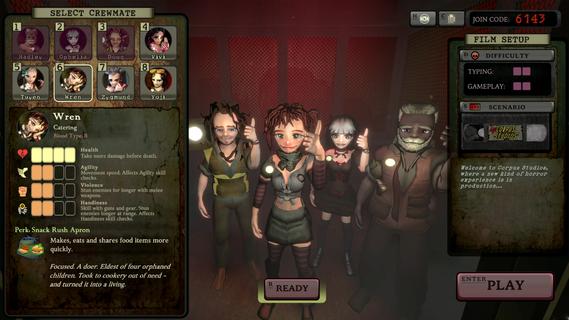
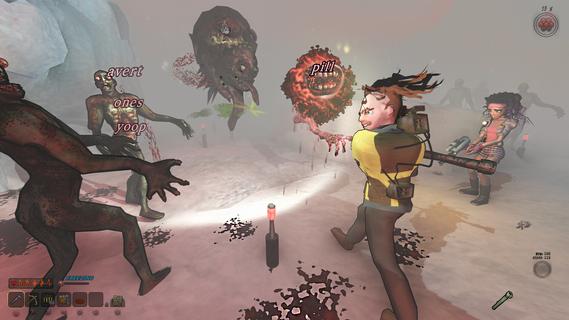
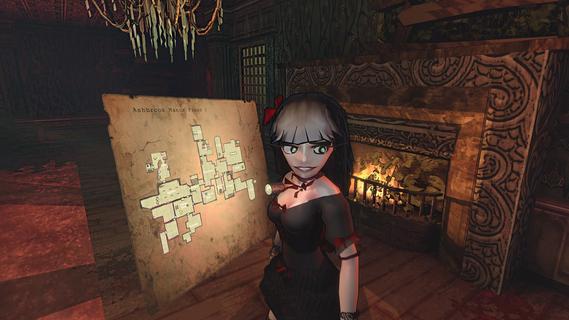
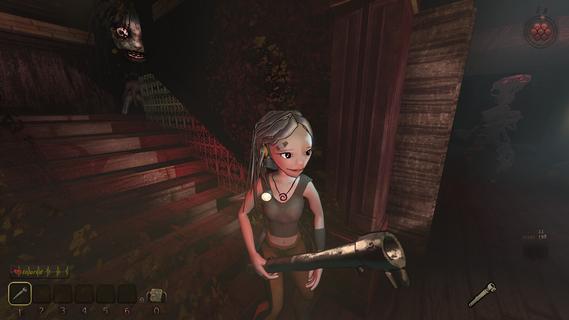
In the world of Blood Typers, the line between reality and horror movies blurs, plunging players into a terrifying survival horror experience. Set in a sprawling, cursed film studio, this game combines the intense action of survival horror with the fast-paced challenge of typing games. Players must navigate through a maze-like facility, fighting off hordes of undead and other monstrous creatures, all while honing their typing skills to stay alive. Gameplay MechanicsBlood Typers is controlled entirely through typing, a unique mechanic that sets it apart from other survival horror games. Players type words to move, interact with objects, and engage in combat. For instance, to cross a room, you type specific words displayed on the floor, which serve as waypoints. When faced with enemies, pressing the tab key shifts you into combat mode, where you must type words floating above the monsters to attack them. The game requires quick reflexes and accurate typing, as the speed and accuracy of your typing determine your survival. The combat system is designed to be frantic and intense, with more formidable enemies requiring longer words or sequences of words to defeat. Players can manage a variety of weapons, each with its own typing mechanics. For example, the shotgun can eliminate larger foes with a single word, while the submachine gun allows for rapid-fire typing by inputting only the initial letters of each word. Characters and MultiplayerBlood Typers offers a diverse cast of eight playable characters, each with unique abilities and stats. This variety allows for different playstyles, making the game more engaging and replayable. The game also features a co-op multiplayer mode for up to four players, where teamwork and coordination are crucial to survival. However, the lack of a matchmaking service means that players must organize their own groups. Survival Horror ElementsDespite its unique typing mechanic, Blood Typers incorporates many elements typical of survival horror games. Players must manage inventory, find keys to unlock doors, and navigate through procedurally generated maps, which provide high replayability but may lack the narrative depth some players desire. The game includes limited save points, adding tension and challenge to each playthrough. Aesthetic and AtmosphereThe game's setting, a haunted film studio, pays homage to classic horror movies, with environments that evoke a sense of nostalgia and dread. The sound design and visuals are well-crafted to create a tense atmosphere, immersing players in the horror experience. ConclusionBlood Typers is a wildly creative game that successfully blends typing challenges with survival horror elements, offering a fresh take on both genres. While it may appeal more to fans of roguelite games and multiplayer experiences, its unique gameplay mechanic makes it a standout title worth exploring. With its budget-friendly price and engaging gameplay, Blood Typers is an excellent choice for those looking for a thrilling adventure that will keep them on the edge of their seats—and their fingers flying across the keyboard.
Show more

1. Download MEmu installer and finish the setup

2. Start MEmu then open Google Play on the desktop

3. Search Blood Typers in Google Play
Install
4. Download and Install Blood Typers
5. On install completion click the icon to start

6. Enjoy playing Blood Typers on PC with MEmu
MEmu Play is the best Android emulator and 100 million people already enjoy its superb Android gaming experience. The MEmu virtualization technology empowers you to play thousands of Android games smoothly on your PC, even the most graphic-intensive ones.
Bigger screen with better graphics; Long duration, without limitation of battery or mobile data.
Full Keymapping support for precise control of keyboard and mouse or gamepad.
Multiple game accounts or tasks on single PC at one time with Multi-Instance manager.
Play Blood Typers on PC by following steps:






















































![PUBG mobile update [Mar.2020] PC](https://www.memuplay.com/blog/wp-content/uploads/2019/11/121-1.jpg)