Levelhead
Updated
Current Version
1737335953
Offered By

With your passion for Levelhead, you shouldn’t have to limit yourself to the small screen of a phone. Play like a pro and take full control of the game using a keyboard and mouse. MEmu gives you everything you’re looking for. Download and play Levelhead on PC. Play as long as you want — no more worries about battery life, mobile data, or unexpected calls. The all-new MEmu 9 is the best way to play Levelhead on PC. With our expertly designed keymapping system, Levelhead feels just like a real PC game. The MEmu multi-instance manager lets you run two or more accounts on the same device at the same time. Most importantly, our exclusive emulation engine unlocks your PC’s full potential, delivering smooth and seamless performance.
Show more
Download Levelhead on PC with MEmu Android Emulator. Enjoy playing on big screen. Play the 2D Platformer Maker from the award-winning studio behind Crashlands!
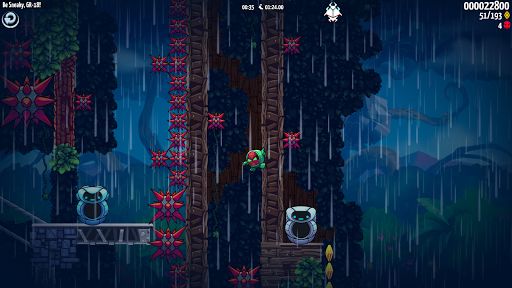
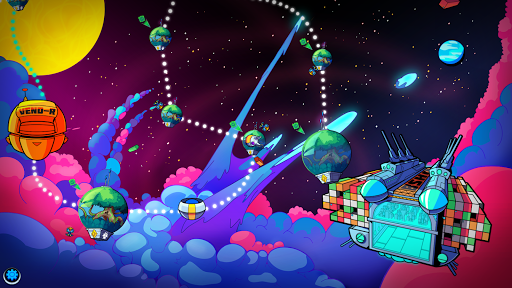
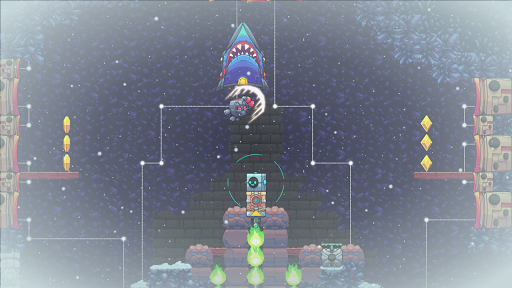
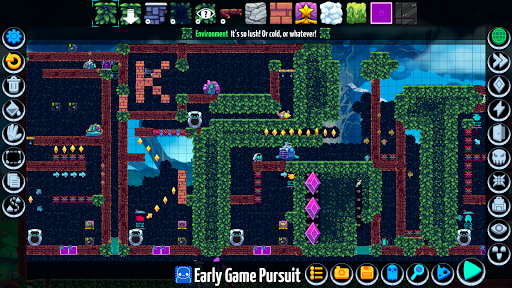
Play the 2D Platformer Maker from the award-winning studio behind Crashlands!
EMPLOYEEEEEE! The Bureau of Shipping is the galaxy's premiere package delivery corporation. For hundreds of years our customers have trusted us to deliver their goods, real good. And now you get to be part of that delivery magic.
As a new Employee to the Levelhead Division, you are responsible for training your very own GR-18 delivery robot for every possible delivery scenario. Create L.E.V.E.L.s, or "Limited Exercises for eValuating employEe Limitations", with the intuitive Level editor in the Workshop, then publish them for the whole world to experience.
Build incredible contraptions and machines, craft adventurous expeditions that require brain and brawn to complete, or just create a relaxing music scene for other Levelheads to chill with. Once you've completed your Level, share it with the rest of the world... and gain a following! The Levelhead Division comes equipped with powerful curation and Following systems, so you'll always be able to find the best new Levels created by your colleagues.
And don't forget about the Training course! More than 90 hand-crafted Levels offer a wealth of challenges and surprises to jumpstart your creativity.
What are you waiting for, Employee? Get out there and do good for our goods!
FEATURES
+ Build your own Levels! Get creative and make your own Levels with hundreds of items including enemies, hazards, paths, programmable switches, secrets, weather, music, and powers. Build a sprawling adventure, a puzzle game, a pinball machine, a Level full of bosses, a fast-paced challenge, a relaxing musical contraption, a well-paced sidescroller, or whatever else you can imagine! Levelhead's intuitive Level editor lets you convert your design ideas into platforming adventures for players around the world.
+ Complete the challenging and funny campaign! Take control of GR-18, a delivery robot in-training, as you run, jump, and blast your way across 90+ challenging, hand-designed campaign Levels. Along the way you'll unlock new Avatars, speedrun against benchmark times, and become a star employee of the Levelhead division!
+ Gain a following! Publish your Level to the entire world and see your Play Time, Attempts, and Followers stack up. With robust search and curation, Levelhead makes collecting followers and playing endless user generated content from around the world a breeze. Plus, the Marketing Department lets you push your Levels to the top of the charts just by playing the game, meaning you don't already have to be famous to get your Levels played!
+ Compete for speed and score! Every Level comes with a leaderboard - take the top spot and you'll hold the trophy! But beware, the competition is fierce and you never know who will be coming for your awards.
+ Cross platform, cross save, & cross play! The Levels you create go out to the whole world, regardless of device! You can even back-up your unfinished levels to the cloud and transfer them between devices with ease, so you can build and play wherever you want.
Show more

1. Download MEmu installer and finish the setup

2. Start MEmu then open Google Play on the desktop

3. Search Levelhead in Google Play
Install
4. Download and Install Levelhead
5. On install completion click the icon to start

6. Enjoy playing Levelhead on PC with MEmu
MEmu Play is the best Android emulator and 100 million people already enjoy its superb Android gaming experience. The MEmu virtualization technology empowers you to play thousands of Android games smoothly on your PC, even the most graphic-intensive ones.
Bigger screen with better graphics; Long duration, without limitation of battery or mobile data.
Full Keymapping support for precise control of keyboard and mouse or gamepad.
Multiple game accounts or tasks on single PC at one time with Multi-Instance manager.
Play Levelhead on PC by following steps:
























































![PUBG mobile update [Mar.2020] PC](https://www.memuplay.com/blog/wp-content/uploads/2019/11/121-1.jpg)