With your passion for LYN: The Lightbringer, you shouldn’t have to limit yourself to the small screen of a phone. Play like a pro and take full control of the game using a keyboard and mouse. MEmu gives you everything you’re looking for. Download and play LYN: The Lightbringer on PC. Play as long as you want — no more worries about battery life, mobile data, or unexpected calls. The all-new MEmu 9 is the best way to play LYN: The Lightbringer on PC. With our expertly designed keymapping system, LYN: The Lightbringer feels just like a real PC game. The MEmu multi-instance manager lets you run two or more accounts on the same device at the same time. Most importantly, our exclusive emulation engine unlocks your PC’s full potential, delivering smooth and seamless performance.
Show more
Screenshots & Video of LYN: The Lightbringer PC
Download LYN: The Lightbringer on PC with MEmu Android Emulator. Enjoy playing on big screen. Vestri.
Game Info
Vestri. The Gods of Light and Darkness once called this continent their home, but it would become their battleground. After seemingly endless turmoil and unfathomable loss, the Light emerged victorious. History would remember this as the Vestri War.
200 years of peace followed, and the tales of brutality and heroism faded into legend. The greatest legends, however, have a way of being reborn. When a pillar of light erupted from a young girl and opened the heavens, the gears of conflict began to turn once more...
■ A Charming and Immersive Tale
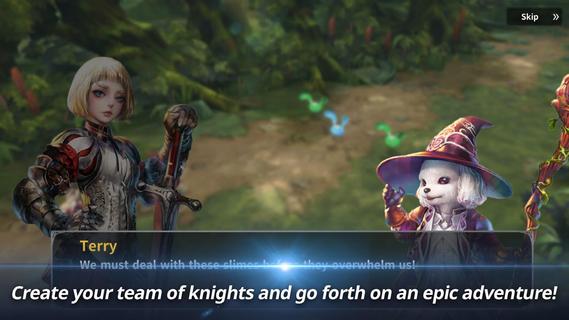
- Assemble a team of knights and go forth on an epic adventure!
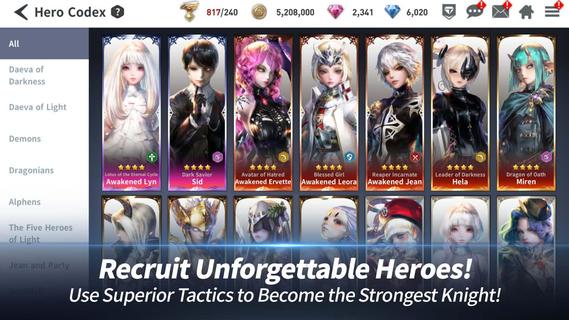
■ Unforgettable Heroes
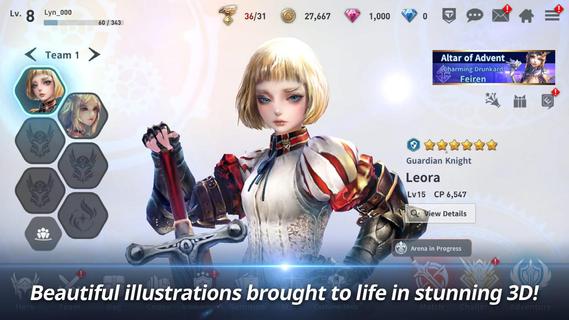
- Feast your eyes on beautiful illustrations brought to life in stunning 3D!
■ Live, Strategic Competitions
- Vie for the throne against others in real-time PvP matches!
■ A Robust Market for Trading Heroes and Items
- Explore a unique market system unlike any other RPG.
■ Real-Time Co-Op Raids
- Lead your knights on Raids to conquer powerful monsters!
Support & Community
Are you having problems? Please contact our in-game 1:1 Support or send us an inquiry at help_lyn_global@nexon.com
Follow us on official communities to get the latest news and updates!
Facebook: https://www.facebook.com/Lyn
Terms of Service: https://m.nexon.com/terms/304
Privacy Policy: https://m.nexon.com/terms/305
Minimum Specifications: Android 4.4 Kitkat / Galaxy S6
■ App Permissions Information
In order to provide the following services, we are requesting certain permissions.
[Requested Optional Permissions]
Save picture/media/file: game installation file, save update file and attach screenshots for customer service
Camera: Required to capture and upload photos and videos.
Phone: Allow your phone number to be collected for promotional text messages
※ This authorization only applies to certain countries, so numbers may not be collected from all players.
[How to withdraw access rights]
▶ Android 6.0 or higher: Settings > Applications > Select App > Permissions
▶ Under Android 6.0: Update OS version to retract permissions; Uninstall app
※ If the app does not ask you to grant your permission, manage your permissions by following by the above steps.
Show more
How to Download LYN: The Lightbringer on PC
1. Download MEmu installer and finish the setup
2. Start MEmu then open Google Play on the desktop
3. Search LYN: The Lightbringer in Google Play
Install
4. Download and Install LYN: The Lightbringer
5. On install completion click the icon to start
6. Enjoy playing LYN: The Lightbringer on PC with MEmu
Why Use MEmu for LYN: The Lightbringer
MEmu Play is the best Android emulator and 100 million people already enjoy its superb Android gaming experience. The MEmu virtualization technology empowers you to play thousands of Android games smoothly on your PC, even the most graphic-intensive ones.
Bigger screen with better graphics; Long duration, without limitation of battery or mobile data.
Full Keymapping support for precise control of keyboard and mouse or gamepad.
Multiple game accounts or tasks on single PC at one time with Multi-Instance manager.








































































![PUBG mobile update [Mar.2020] PC](https://www.memuplay.com/blog/wp-content/uploads/2019/11/121-1.jpg)