FIFA Rivals
Updated
Current Version
Offered By

With your passion for FIFA Rivals, you shouldn’t have to limit yourself to the small screen of a phone. Play like a pro and take full control of the game using a keyboard and mouse. MEmu gives you everything you’re looking for. Download and play FIFA Rivals on PC. Play as long as you want — no more worries about battery life, mobile data, or unexpected calls. The all-new MEmu 9 is the best way to play FIFA Rivals on PC. With our expertly designed keymapping system, FIFA Rivals feels just like a real PC game. The MEmu multi-instance manager lets you run two or more accounts on the same device at the same time. Most importantly, our exclusive emulation engine unlocks your PC’s full potential, delivering smooth and seamless performance.
Show more
Download FIFA Rivals on PC with MEmu Android Emulator. Enjoy playing on big screen. FIFA Rivals is an innovative soccer game that marks a significant departure from traditional sports titles.
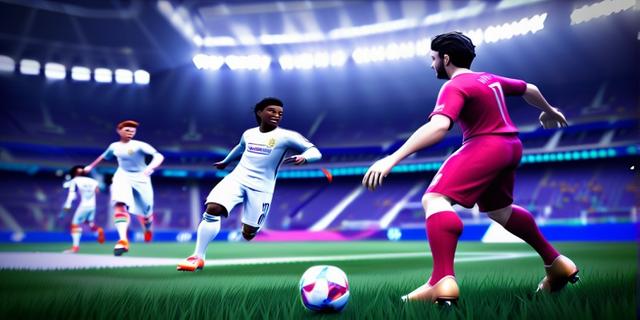

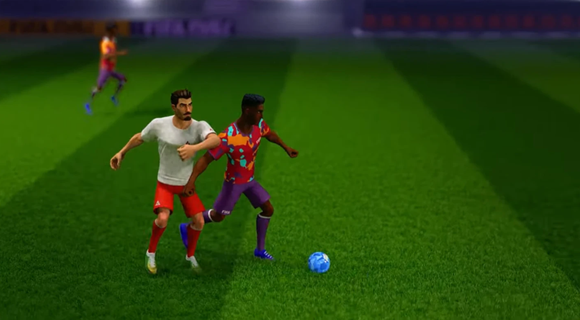
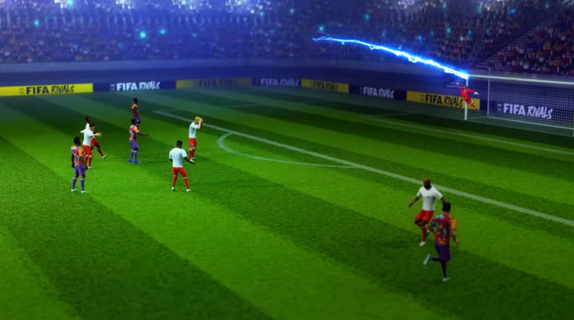
FIFA Rivals is an innovative soccer game that marks a significant departure from traditional sports titles. Developed by Mythical Games, the same creators behind NFL Rivals, this game combines fast-paced arcade-style soccer with strategic team management and blockchain technology. Players can engage in thrilling real-time matches against opponents from around the globe, making it a truly immersive experience. Gameplay OverviewIn FIFA Rivals, players take on the role of a club manager, tasked with building and enhancing their team lineup. The game allows users to create and manage their own football clubs, selecting from a pool of licensed players, both past and present. These teams then compete in intense PvP matches, requiring tactical prowess to outmaneuver opponents and climb the rankings. Arcade-Style GameplayThe gameplay is designed to be accessible yet challenging, offering a mix of quick matches and strategic depth. Players can enjoy fast-paced arcade action, reminiscent of other popular soccer simulations like eFootball. However, to succeed, they must also focus on the tactical aspects of the game, such as team composition, player upgrades, and match strategies. Blockchain IntegrationFIFA Rivals incorporates blockchain technology through the Mythos blockchain, enabling players to own, buy, sell, and trade digital player assets in the form of NFTs. This feature adds a new layer of engagement, allowing players to build their dream teams and participate in a dynamic in-game economy. Strategic Team ManagementTo maintain a competitive edge, players must continually upgrade and enhance their team lineups. This involves acquiring new players, improving existing ones, and adjusting strategies based on performance. The game's marketplace allows for the purchase and sale of digital assets, providing a way to strengthen teams using real money. Seasonal CompetitionsFIFA Rivals features seasonal competitions where teams compete to rise through the ranks. The game's ranking system rewards strategic play and consistent performance, encouraging players to adapt and improve their tactics throughout the season. Launch and AvailabilityFIFA Rivals is set to launch in the summer of 2025 on both iOS and Android devices. This release marks a significant milestone for FIFA, as it expands its gaming and esports portfolio following the end of its long-standing partnership with EA Sports. Impact on the Gaming IndustryThe partnership between FIFA and Mythical Games underscores FIFA's commitment to exploring digital frontiers and enhancing fan engagement. By integrating blockchain technology and offering a unique gaming experience, FIFA Rivals is poised to redefine the sports gaming landscape. ConclusionFIFA Rivals offers a fresh take on soccer gaming, blending arcade action with strategic team management and blockchain-based collectibles. As the game prepares for its summer 2025 launch, fans can expect an engaging experience that combines the excitement of real-time matches with the depth of team-building strategies. With its innovative approach, FIFA Rivals is set to captivate both casual and dedicated soccer enthusiasts alike.
Show more

1. Download MEmu installer and finish the setup

2. Start MEmu then open Google Play on the desktop

3. Search FIFA Rivals in Google Play
Install
4. Download and Install FIFA Rivals
5. On install completion click the icon to start

6. Enjoy playing FIFA Rivals on PC with MEmu
MEmu Play is the best Android emulator and 100 million people already enjoy its superb Android gaming experience. The MEmu virtualization technology empowers you to play thousands of Android games smoothly on your PC, even the most graphic-intensive ones.
Bigger screen with better graphics; Long duration, without limitation of battery or mobile data.
Full Keymapping support for precise control of keyboard and mouse or gamepad.
Multiple game accounts or tasks on single PC at one time with Multi-Instance manager.
Play FIFA Rivals on PC by following steps:





















































![PUBG mobile update [Mar.2020] PC](https://www.memuplay.com/blog/wp-content/uploads/2019/11/121-1.jpg)