NIGHT CROWS
Updated
Current Version
1.16.10
Offered By

With your passion for NIGHT CROWS, you shouldn’t have to limit yourself to the small screen of a phone. Play like a pro and take full control of the game using a keyboard and mouse. MEmu gives you everything you’re looking for. Download and play NIGHT CROWS on PC. Play as long as you want — no more worries about battery life, mobile data, or unexpected calls. The all-new MEmu 9 is the best way to play NIGHT CROWS on PC. With our expertly designed keymapping system, NIGHT CROWS feels just like a real PC game. The MEmu multi-instance manager lets you run two or more accounts on the same device at the same time. Most importantly, our exclusive emulation engine unlocks your PC’s full potential, delivering smooth and seamless performance.
Show more
Download NIGHT CROWS on PC with MEmu Android Emulator. Enjoy playing on big screen. Created with Unreal Engine 5, the 13th-century European continent where magic exists invites you to a huge war of chaos.
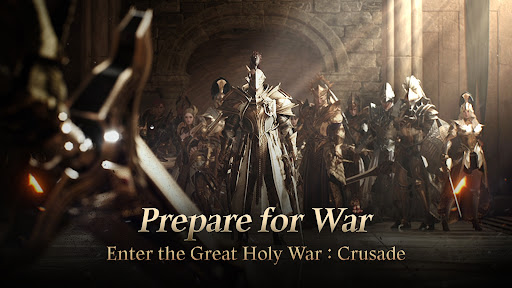
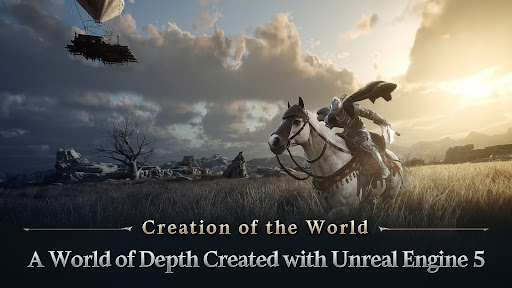
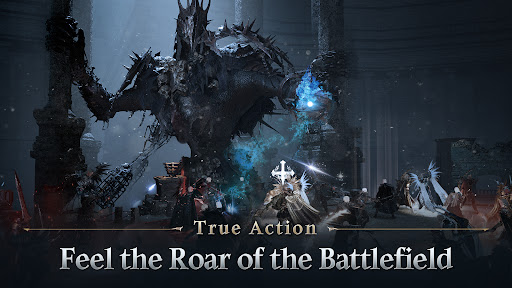
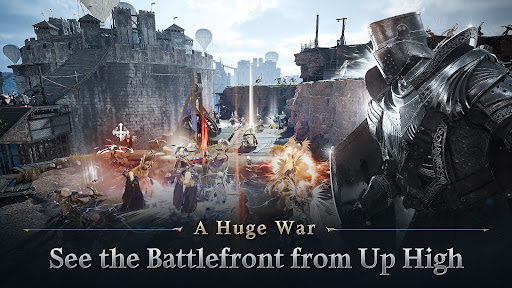
Created with Unreal Engine 5, the 13th-century European continent where magic exists invites you to a huge war of chaos.
▣Creation of the World▣
In 13th-century Europe where magic still exists, we created a new world in which fantasy meets reality. Night versus day, light versus darkness, order versus chaos, and oppression versus rebellion— everything clashes and collides in the lands of medieval Europe. Dive into the most realistic experience of the European continent, brought to life with Unreal Engine 5.
▣Way of Life▣
In RPG, the character becomes another "you." Gone are the days when you had to rely on luck and chances. The time and effort you put in, and the promotions and advancements based on your choice will make your company grow, soaring to fulfill the missions given as a Night Crows member. That is the system of growth and way of life NIGHT CROWS are so eager to achieve.
▣Fly High▣
Now, the ground, sky, and everything in between will become a battlefield. With the use of "Gliders," the sky has finally become another stage for players in the European continent of NIGHT CROWS. Going beyond the simple flight using elevation differences, Gliders in NIGHT CROWS enable gliding, hovering, and various strategies for combat by utilizing updrafts, offering a three-dimensional action experience that breaks away from flat-surfaced battles.
▣True Action▣
The excitement of the battle in NIGHT CROWS is maximized through the realistic display of the battle itself and the vivid experience of growth. Experience "real action" that stimulates all senses by combining the motions of monsters upon taking damage and the hit impact distinguished by the weapon of each class, which include one-handed swords, two-handed swords, bows, and staffs.
▣A Huge War▣
This colossal war will begin in the name of god. Based on inter-server technology, the Battlefront works as a massive arena that breaks through size limits, enabling the clash of the three servers with over a thousand players. The enhancement of PVP skills specialized for each class, Gliders, and three-dimensional battlefields that utilize elevation differences allow the Battlefront to go beyond the existing battle experience. Through NIGHT CROWS, you now will stand "in the middle of a colossal battlefield of the European continent."
▣One Market▣
Everything becomes connected in the world of NIGHT CROWS. The three servers are connected through inter-server technology, and all individuals within them will collide and compete against each other for better rights and faster growth while cooperating and having exchanges through the connected economy of "World Exchange." One market of conflict and cooperation, one economy, and one world — that is the world of NIGHT CROWS.
[Rights to Access]
- Photo/Media/File Saves: Used for downloading resources and saving in-game data, Customer Center, Community, and gameplay screenshots.
[How to Change Permissions]
- After grating permissions, you can configure or revoke permissions by following steps.
- Android 6.0 or higher : Settings > Apps > NIGHT CROWS > Select Permission Settings > Permissions > Set to allow or deny
- Below Android 6.0 : Upgrade the operating system to change settings, or delete the app.
※ If the operating system version is lower than Android 6.0, you cannot change permission settings for individual apps. We recommend upgrading to 6.0 or higher.
■ SUPPORT ■
e-mail: nightcrowshelp@wemade.com
Official Site: https://www.nightcrows.com
Show more

1. Download MEmu installer and finish the setup

2. Start MEmu then open Google Play on the desktop

3. Search NIGHT CROWS in Google Play
Install
4. Download and Install NIGHT CROWS
5. On install completion click the icon to start

6. Enjoy playing NIGHT CROWS on PC with MEmu
MEmu Play is the best Android emulator and 100 million people already enjoy its superb Android gaming experience. The MEmu virtualization technology empowers you to play thousands of Android games smoothly on your PC, even the most graphic-intensive ones.
Bigger screen with better graphics; Long duration, without limitation of battery or mobile data.
Full Keymapping support for precise control of keyboard and mouse or gamepad.
Multiple game accounts or tasks on single PC at one time with Multi-Instance manager.
Play NIGHT CROWS on PC by following steps:






















































![PUBG mobile update [Mar.2020] PC](https://www.memuplay.com/blog/wp-content/uploads/2019/11/121-1.jpg)