Ragnarok Origin: ROO
Updated
Current Version
7.3.2
Offered By

With your passion for Ragnarok Origin: ROO, you shouldn’t have to limit yourself to the small screen of a phone. Play like a pro and take full control of the game using a keyboard and mouse. MEmu gives you everything you’re looking for. Download and play Ragnarok Origin: ROO on PC. Play as long as you want — no more worries about battery life, mobile data, or unexpected calls. The all-new MEmu 9 is the best way to play Ragnarok Origin: ROO on PC. With our expertly designed keymapping system, Ragnarok Origin: ROO feels just like a real PC game. The MEmu multi-instance manager lets you run two or more accounts on the same device at the same time. Most importantly, our exclusive emulation engine unlocks your PC’s full potential, delivering smooth and seamless performance.
Show more
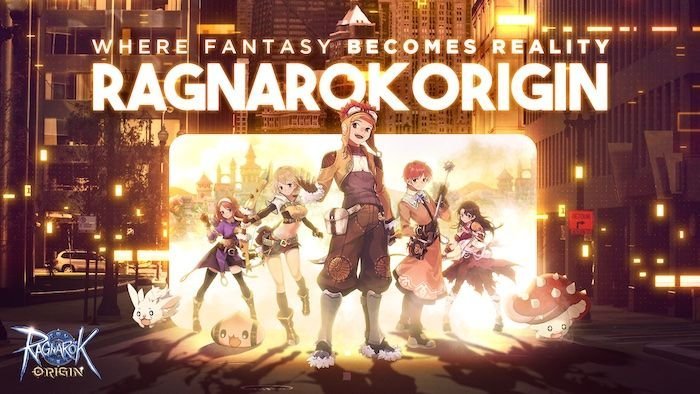
Download Ragnarok Origin: ROO on PC with MEmu Android Emulator. Enjoy playing on big screen. Ragnarok Origin: ROO — a sequel to the beloved, classic RO.
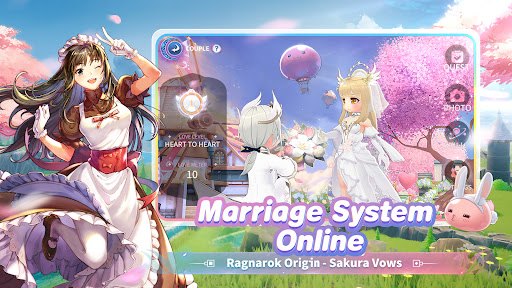
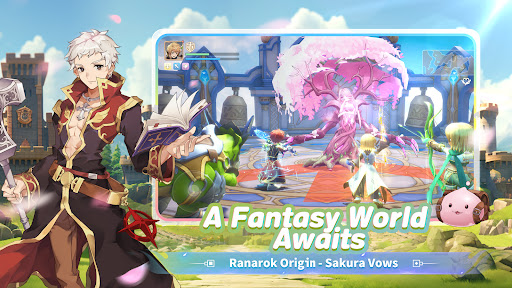
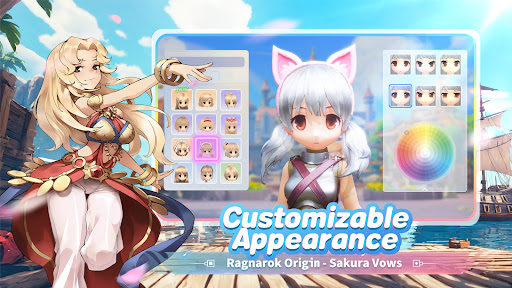
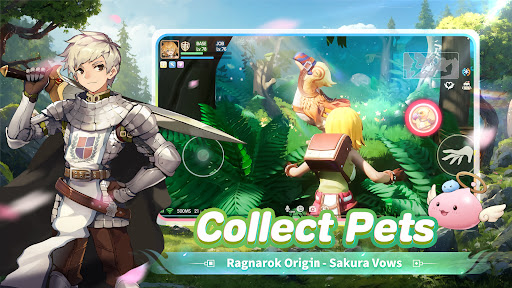
Ragnarok Origin: ROO — a sequel to the beloved, classic RO. Officially developed and operated by Gravity.
Participate in the new server launch events to win luxurious rewards and embark on an adventure!
Immerse yourself in a vast fantasy world full of mysterious monsters and extraordinary characters. Explore massive landscapes, legendary kingdoms, and dreadful dungeons with your pets and pals!
===Highlighted Features===
Explore a Vast Fantasy World — An Adventure Awaits
Change Classes at Your Will — Endless Fun
Full Character Customization — Deep RPG Experience
Thrilling PvP and GvG Battles — Glorious and Furious
Immersive Social Features — Meet New Friends
High-Quality 3D Graphics — A Visual Feast
===Unlimited Character Customization===
-Upgrade and enchant your weapons, armor, cards, and many more to refine your build;
-Customize the skills on your skill bar to get prepared for different encounters;
-Switch among different Jobs at your will;
===Epic Fantasy Journey===
-Discover mysterious locations and secrets hidden in a detailed world;
-Choose your path and embark on unique missions, events, and daily quests;
-Collect, train, and evolve pets to fight by your side;
-Meet friends and defeat powerful foes together;
===Fast-paced Action Combats===
-Hundreds of items and skills with amazing animations and visual effects;
-Optimized controls allow swift response to changing battlefield conditions;
-Fight for glory in arenas and battlegrounds;
-Plan battle strategies, learn new techniques, and prepare potions for battles;
===Immersive Social Features===
-Adventure with your friends in real life or strangers you just met! Enjoy unique dungeons, challenges, and stories together!
-Everyone plays an important role in the group. Tank, DPS, or Support? Which role will you take to make your team unstoppable?
-Enjoy guild feasts, guild matches, and guild vs. guild tournaments with your guild mates!
===Make Yourself Shine===
-Show off your style with hundreds of outfits, hats, and accessories to choose from;
-Use the Wardrobe system to get dressed anytime, anywhere;
===A Beautiful World===
-Feast your eyes on the open world with vibrant, high-definition graphics;
-Enchanting BGM in each area to set the mood;
-Every detail, from lighting to sound effects, from the environment to climate, is brought to life;
===Cross-platform Play===
-Link your Mobile and PC accounts!
-Enjoy anytime, anywhere, on any device
Kind Reminder
Ragnarok Origin is free to download, with some of its contents and features requiring in-app payment;
Please keep your gaming time in check, and maintain proper rest.
Contact us
Official Website:https://lna.roglobal.com/home
Discord Server: https://discord.com/invite/roolna
Facebook Page: https://www.facebook.com/OFFICIALRagnarokOriginROO
Instagram:https://www.instagram.com/ragnarokorigin_en/
YouTube:https://www.youtube.com/@RagnarokOrigin_NA
Show more

1. Download MEmu installer and finish the setup

2. Start MEmu then open Google Play on the desktop

3. Search Ragnarok Origin: ROO in Google Play
Install
4. Download and Install Ragnarok Origin: ROO
5. On install completion click the icon to start

6. Enjoy playing Ragnarok Origin: ROO on PC with MEmu
MEmu Play is the best Android emulator and 100 million people already enjoy its superb Android gaming experience. The MEmu virtualization technology empowers you to play thousands of Android games smoothly on your PC, even the most graphic-intensive ones.
Bigger screen with better graphics; Long duration, without limitation of battery or mobile data.
Full Keymapping support for precise control of keyboard and mouse or gamepad.
Multiple game accounts or tasks on single PC at one time with Multi-Instance manager.
Play Ragnarok Origin: ROO on PC by following steps:





















































![PUBG mobile update [Mar.2020] PC](https://www.memuplay.com/blog/wp-content/uploads/2019/11/121-1.jpg)